




🚨 Free product included with qualifying orders πŸš¨β˜…πŸš¨ Free product included with qualifying orders πŸš¨β˜…πŸš¨ Free product included with qualifying orders πŸš¨β˜…πŸš¨ Free product included with qualifying orders πŸš¨β˜…πŸš¨ Free product included with qualifying orders πŸš¨β˜…πŸš¨ Free product included with qualifying orders πŸš¨β˜…πŸš¨ Free product included with qualifying orders πŸš¨β˜…πŸš¨ Free product included with qualifying orders πŸš¨β˜…πŸš¨ Free product included with qualifying orders πŸš¨β˜…πŸš¨ Free product included with qualifying orders πŸš¨β˜…
Theme

Forthcoming Events

No forthcoming events scheduled.


Expired Events

Summer Sale Ended: 14 Jul 2026
May 2026 Deals Ended: 31 May 2026

Live Event

Active

Heatwave Sale 2026

Feel The Heat! From industry-leading plugins and Kontakt instruments to essential sample packs and cinematic sound design libraries.

Ends In
17d 16h 15m 10s
VIEW ALL DEALS

0

0

Change country:

We use cookies

We and selected 3rd parties use cookies or similar technologies as specified in our Cookie Policy

You can consent to the use of such technologies by using the "Accept" button

Manage cookies

Essential
Essential cookies required for business process and to make the website usable by enabling basic functions. (always active)
Marketing
Marketing cookies are used to serve personalised ads and analyse performance.

Plugin

Plugin Effects

Bleass

BLEASS Delay

Multi Purpose Delay / Echo / Frequency Shifter

Bleass - BLEASS Delay Plugins & FX Software GUI Artwork

$19.99

Earn 54

Digital Download

0

Instant Access Direct download
100% Genuine Official license
Flexible Payments PayPal, Card or Wallet
Support Here to help
Guaranteed Safe & Secure Checkout
Visa Mastercard American Express Apple Pay Google Pay Klarna

Product Overview

BLEASS Delay is the ideal tool for adding depth, movement and interest to your mixes. No matter what style of music you are producing and what instrumentation you are working with, the versatility and ease-of-use of BLEASS Delay helps you achieve perfect results with the minimal of fuss.

Echoes are just the starting point for BLEASS Delay. The integrated frequency shifter and dual filter allow deep control over the character and sound of the generated repeats, allowing you to achieve with one plugin sound effects that may otherwise require a complete plugin stack and complex routing.

BLEASS Delay also includes three LFOs, one each for the delay engine, the frequency shifter and the filter. As well as allowing the plugin to create classic modulation effects such as chorus and flanging, the dedicated LFOs are ideal for creating exciting sound effects and epic, constantly-shifting soundscapes.

Features

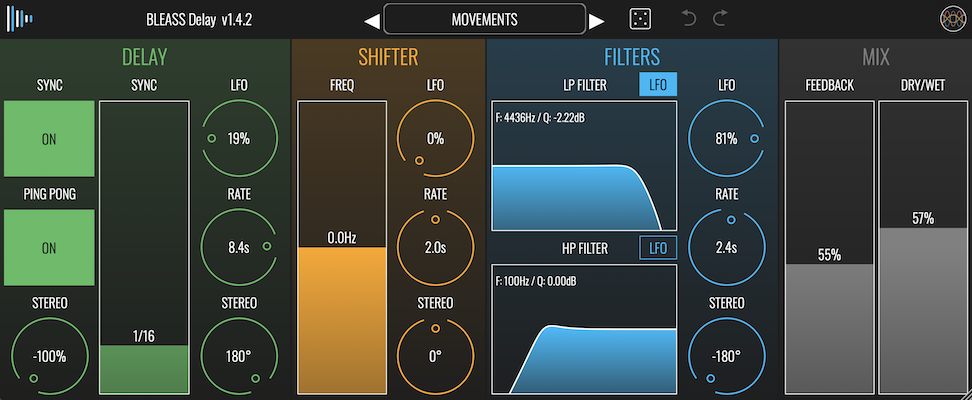
  • VERSATILE DELAY EFFECTS: BLEASS Delay offers a multi-purpose delay, echo, and frequency shifter with high-pass and low-pass filters, suitable for creating a wide range of effects from simple echoes to complex soundscapes.
  • FREQUENCY SHIFTER: Integrated frequency shifter allows for detailed control over the character and sound of each delay repeat, enabling unique sound effects without needing multiple plugins.
  • DUAL FILTERS: Includes both low-pass and high-pass filters with resonance, providing warm, analog-style echo effects.
  • THREE LFOS: Each for the delay engine, frequency shifter, and filter, allowing for dynamic modulation effects like chorus and flanging, as well as the creation of constantly evolving soundscapes.
  • STEREO EFFECTS: Features like stereo phase offset in LFOs and a ping pong effect for creating wider spatial movements in sound.

DETAILS

DELAY SECTION

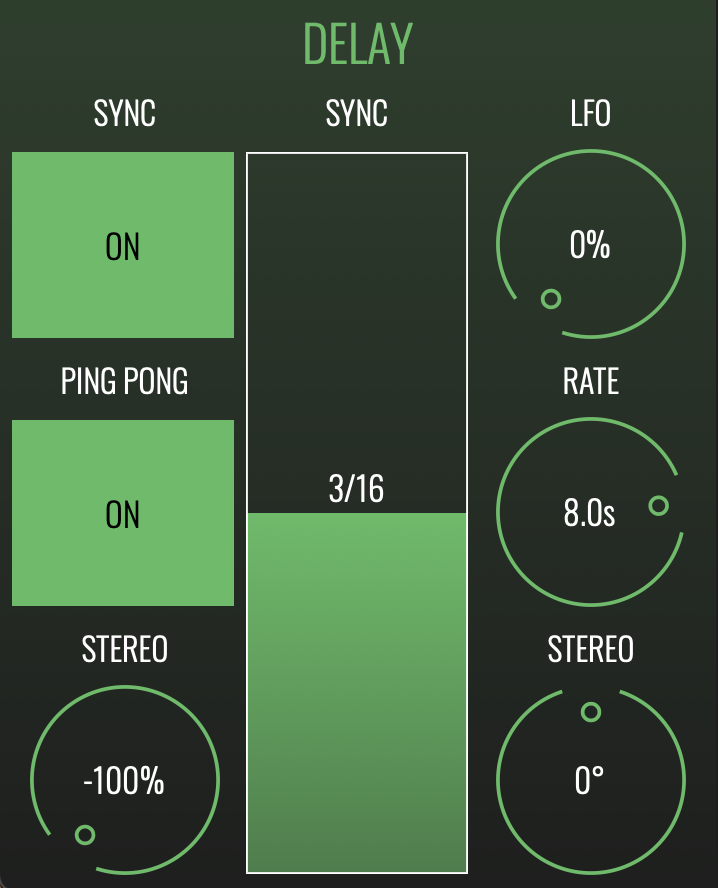
SYNC BUTTON: When enabled, synchronises the delay repeats to the tempo of your DAW.

SYNC/TIME FADER: Controls the delay time. When the Sync button is on , the delay time is expressed as fractions of the bar length. When Sync is off, the delay time is expressed in terms of milliseconds.

PING PONG: Operates in conjunction with the Stereo dial (located beneath the Ping Pong button). When enabled, successive repeats are panned left and right. The amount of panning, and which pan direction is used for the first repeat, is determined by the Stereo dial.

STEREO (Ping Pong): Controls the panning width of the Ping Pong effect. Has no impact if Ping Pong is disabled.

LFO: The delay section’s LFO modulates the delay time, creating an ever-changing pattern of repeats. The LFO dial determines the maximum magnitude of the modulation.

RATE: Sets the time it takes to complete one whole cycle of the LFO.

STEREO (LFO): Creates a phase offset between the LFO’s left and right channels, such that each channel will create differently timed repeats. At the maximum setting of ±180°, one channel’s delay time will be reducing whilst the other channel’s delay time is increasing (and vice versa). Lower settings will create a less pronounced timing offset between left and right channels.
 

SHIFTER SECTION

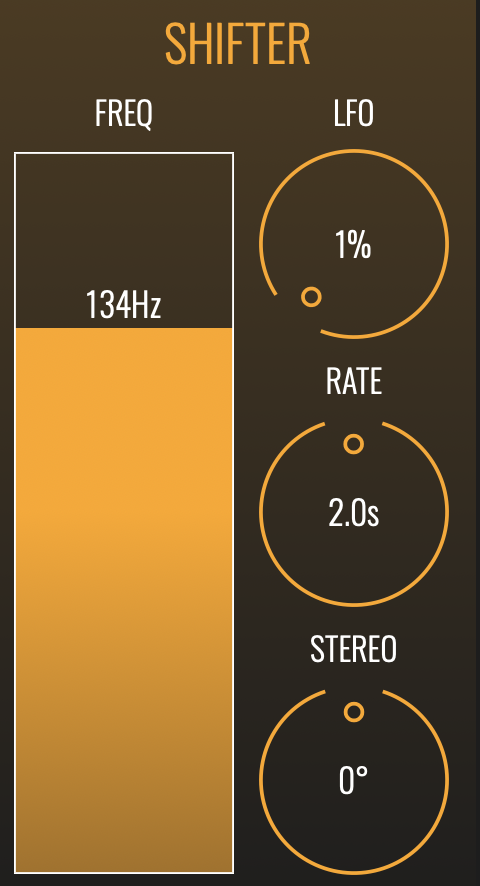
FREQ: The Shifter applies a frequency shift to the delay repeats. The Freq slider determines the amount of frequency shift applied to each repeat. The effect is cumulative – in other words, the frequency shift is applied each time a delayed sound is repeated.

LFO: The Shifter section’s LFO modulates the amount of frequency shift that is to be applied. The LFO dial determines the magnitude of the modulation.

RATE: Sets the time it takes to complete one whole cycle of the LFO.

STEREO: Creates a phase offset between the LFO’s left and right channels, such that each channel will create different frequency shifts within the repeats. At the maximum setting of ±180°, one channel’s frequency will be lowering whilst the other channel’s frequency is being raised (and vice versa). Lower settings will create a less pronounced frequency offset between left and right channels.
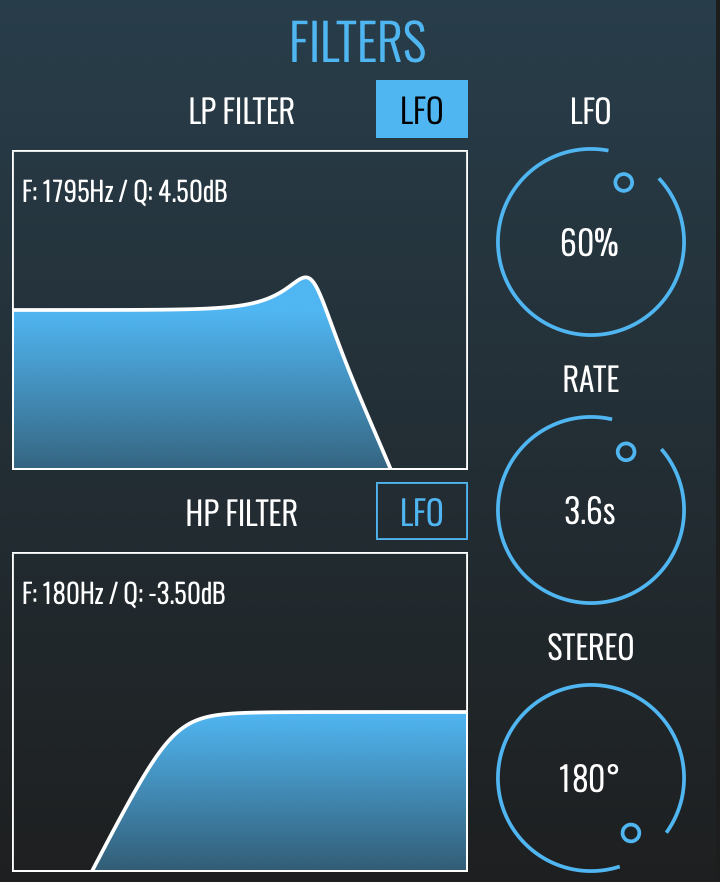
 

FILTERS SECTION

LP FILTER: Applies a low-pass filter to the delay repeats. Drag left-to-right in the filter graph to change the cutoff frequency; drag up-and-down to change the filter’s resonance.

HP FILTER: Applies a high-pass filter to the delay repeats. Drag left-to-right in the filter graph to change the cutoff frequency; drag up-and-down to change the filter’s resonance.

LFO BUTTONS (Filter Graphs): The Filters section’s LFO can only be applied to one of the filters at a time. Click the LFO button above a filter graph to assign the LFO to that filter.

LFO: The Filters section’s LFO modulates the cutoff frequency of the filter to which the LFO is assigned. The LFO dial determines the magnitude of the modulation.

RATE: Sets the time it takes to complete one whole cycle of the LFO.

STEREO: Creates a phase offset between the LFO’s left and right channels, such that each channel will be filtered at a different cutoff frequency. At the maximum setting of ±180°, one channel’s cutoff frequency will be rising whilst the other channel’s cutoff is reducing (and vice versa). Lower settings will create a less pronounced offset in the cutoff frequencies.


MIX SECTION

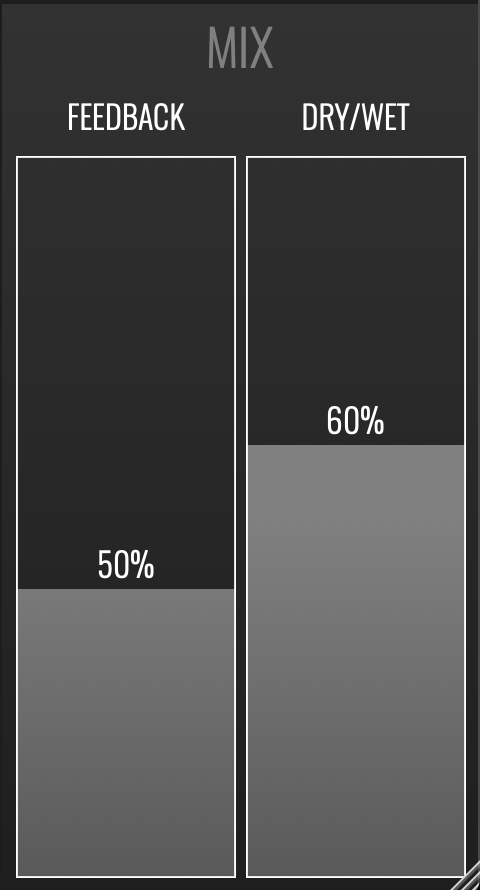
FEEDBACK: Sets the volume level of the signal that is fed back to the Delay section. Lower settings result in fewer repeats; higher settings produce more repeats. At 100%, repeats will continue indefinitely.

DRY/WET: Sets the balance between the direct unprocessed signal and the processed signal.

Additional Information

MAC

  • OS X
  • Memory: 8 GB
  • Disk: 1 GB
  • Plugins: VST-3, AU, AAX

WINDOWS

  • Windows (Windows 11 and later)
  • Memory: 8 GB
  • Disk: 1 GB
  • Plugins: VST-3, AAX

Categories:

Delays

Formats:

Plugin

Genres:

All Genres

Tags:

Delay Plugin

Discover More

View All Events

BROWSE ALL

Happening Now

View Heatwave Sale 2026

SHOP LIVE EVENT
Your Playlist CLEAR
Your playlist is currently empty. Visit a product page and add some tracks to your playlist
Audio Player

0:00
0:00