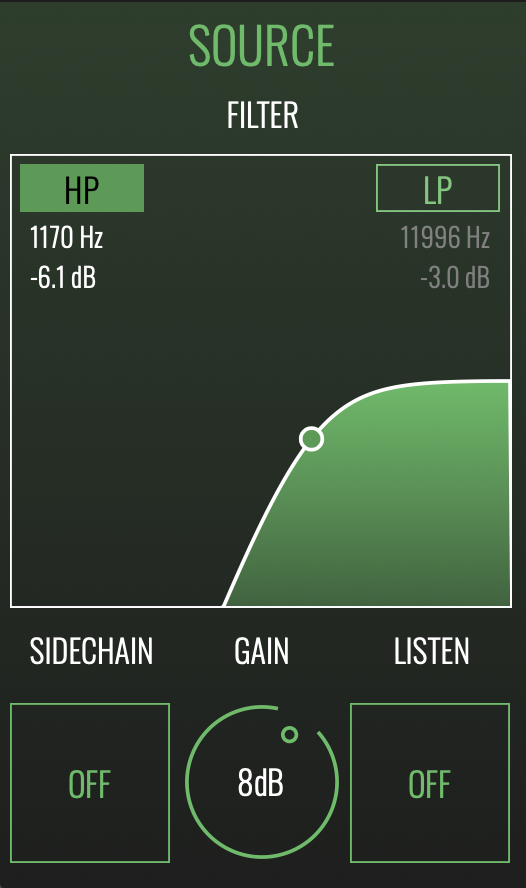







SOURCE SECTION
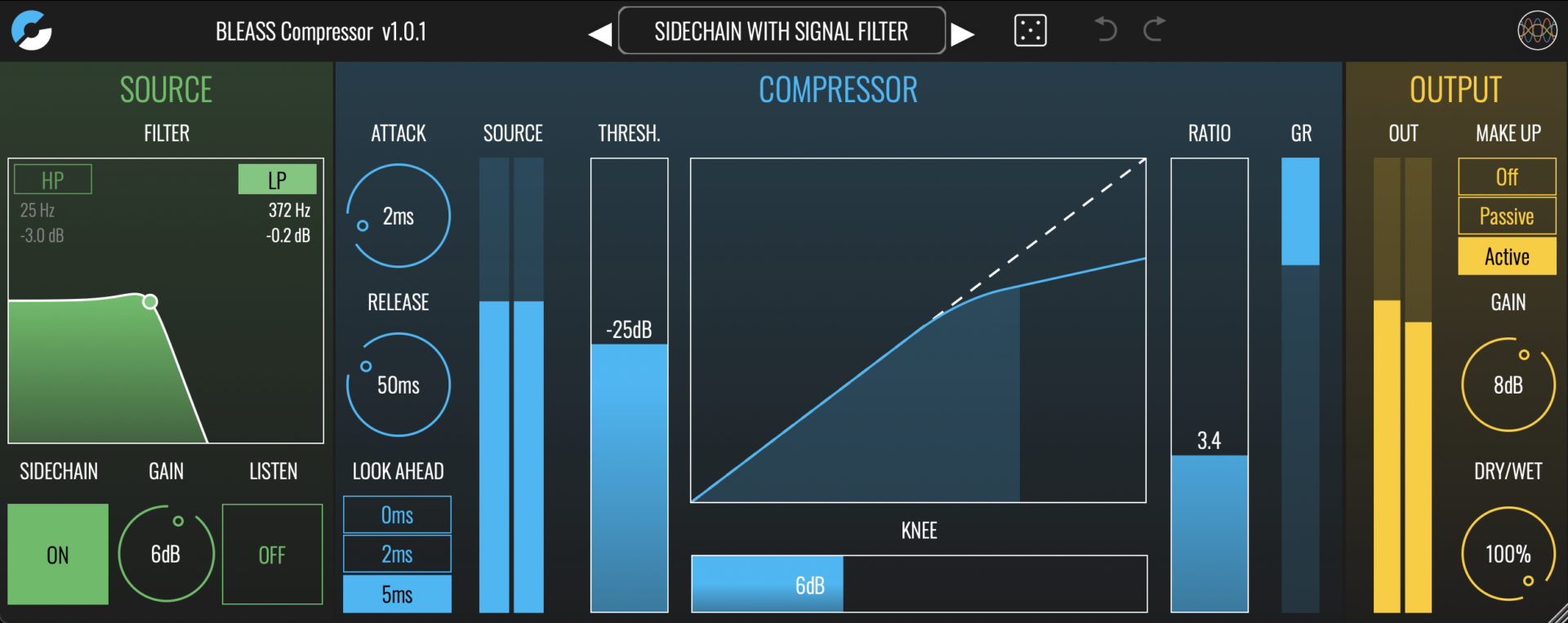
Filter HP and LP Buttons: Enable and disable the high-pass and low-pass sidechain filters
Filter Graph: Click and drag left-to-right to change a filter’s cutoff frequency; drag up-and-down to change a filter’s resonance. The filter settings will determine the compressor’s sensitivity at different frequencies.
Sidechain: Enables external sidechain input. The sidechain is the signal used by the compressor to detect when, and by how much, to adjust the signal level. Often the sidechain signal will be a copy of the plugin’s input signal. Using an external sidechain signal allows you to process a part using the dynamic characteristics of another part. For example, to get a synth pad to pump with the kick drum, insert BLEASS Compressor on the pad’s channel, enable the external sidechain, and create a send from the kick drum to the plugin’s sidechain input.
Gain: Sets the gain of the sidechain signal.
Listen: When enabled, causes the sidechain signal to be passed to the plugin’s output for monitoring. This is useful when configuring the sidechain filter, and to confirm the presence of an external sidechain signal.