Sign in to Loot Audio
Access your downloads, purchases and more
Access your downloads, purchases and more

Pulse is a revolutionary new downloader offering blazing fast speeds and powerful control over your libraries. Loot Audio uses Pulse to power some of our downloads and to make managing your libraries more efficient for you.
After your purchase we will send you a unique code (you will also find the code in your account). Use the code with Pulse to power your download and installation. More information about Pulse can be found here.
What are Credits?
You earn Credits every time you purchase a product from Loot Audio. 3% of your order is added to your account in the form of Credits.
Use Credits for money off future orders or convert them to Sample Credits to download samples from the Sounds section of the site.



$75.00
Earn 177
Note: This product is compatible with Kontakt Full 6.4.2 and above







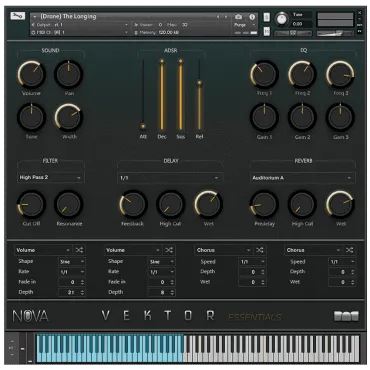
Vektor is a powerful instrument crammed with exciting features and beautiful sounds.
At the heart of “Vektor” is 3GBs of samples and 116 beautifully crafted instruments ranging from multi velocity Strings to long dramatic drones. Giving you the ability to push your music to the next level. These categories include:
Along with multiple organic recorded samples, with instruments like the “Moanful Cello” and “Sul Tasto”, there are wide ranges of manipulate samples that have been morphed by tape machines, classic samplers, amps and fx pedals to give you a whole range of tools at your disposal; some have even been re recorded in a 13th century abbey! Which makes them unique.
“Vektor” comes with 201 diverse snapshots. All easily adaptable and are in the categories:
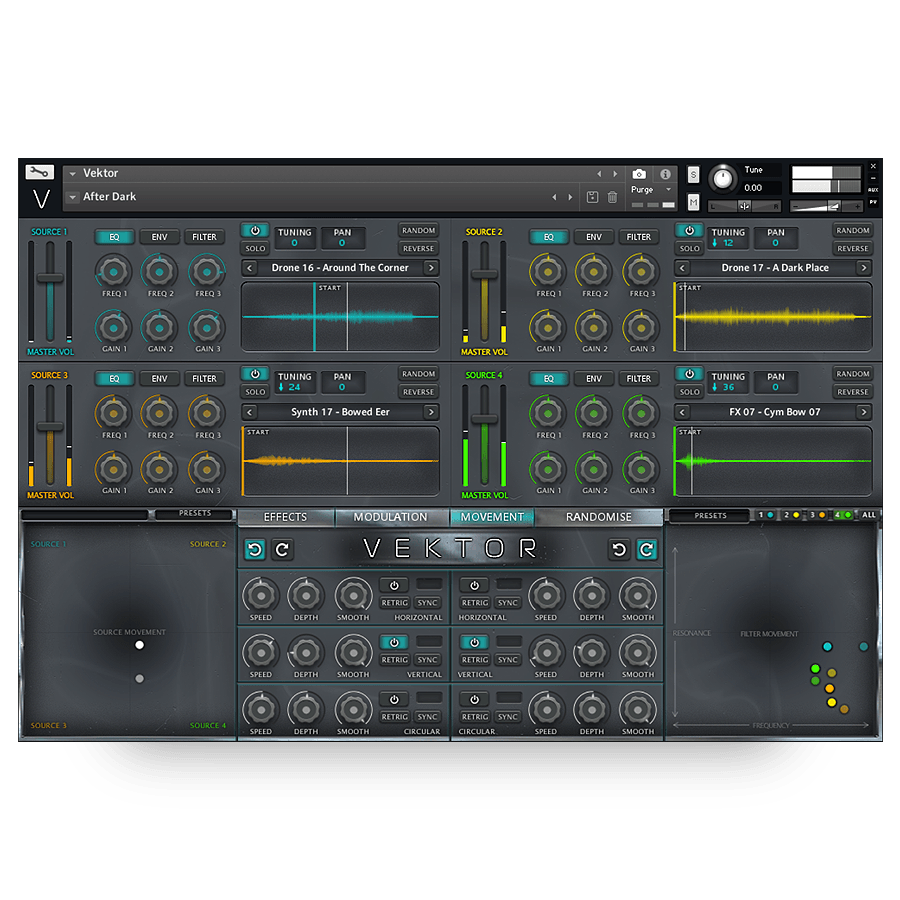
The main section of Vektor contains 4 distinct sources which can be blended together to create unique sounds. Each source has independent controls for EQ, Envelope and Filter accessible by clicking the buttons at the top. Each source has a master volume slider control along with a power button and a solo button. next to these are your tuning (+/- 36 semitones) and panning (-100/+100) control - Click and drag to change the values. Next to these are the Random (Click to randomise the sound source) and the Reverse Buttons (click to play to current sample backwards)
Finally you have the source select dropdown menu containing 116 instruments and below this you have the sample display window which shows the current playing waveform. Drag the Start slider to adjust the start position of the sample.
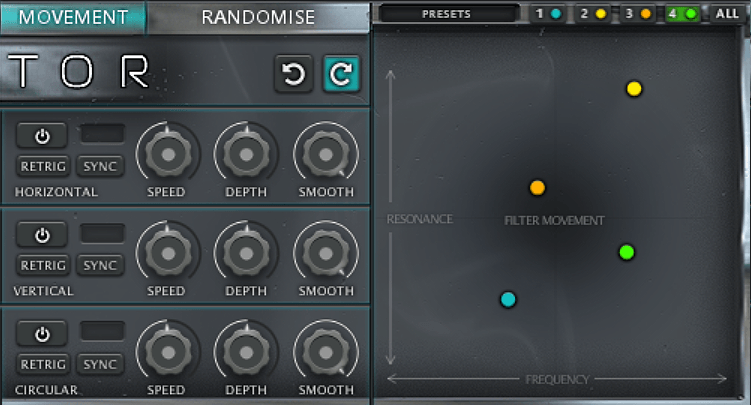
The movement panel allows you to dynamically and instantly transform your sound in a number of unique ways. Firstly you can click and drag the white dot inside the Source Movement XY pad to instantly blend between the 4 sound sources. This allows you to change the volume of each source in a relative manner very quickly. However, you also have access to controls which will change the blend over time. You can choose to blend horizontally or vertically (or both at the same time) or in a circular motion.
You can choose whether the movement should be in a clockwise or counter clockwise direction and you can choose whether the motion should be in sync with your DAWs tempo or free-running
The movement panel also allows you to control the filter frequency and resonance of each source independently or together. Subtle filter sweeps can be acheived with ease as well as complex
The Modulation Panel gives you everything you need to create dynamic movements and modualtion to your sounds. There are 4 LFOs and 4 Envelopes and each one can be assigned to a multitude of different controls
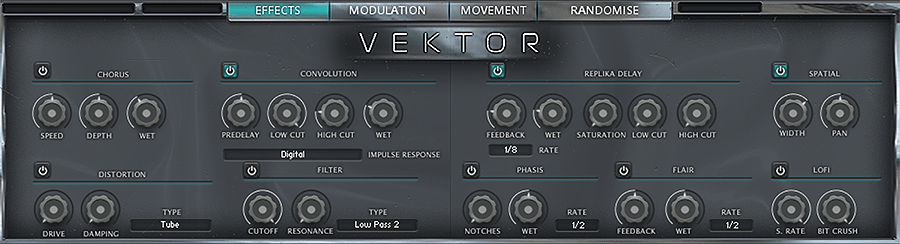
The Effects Panel contains 9 powerful effects that operate on a global basis including: Chorus, Distortion, Spatial, Phasis, Flair, Convolution, Filter, Replika delay and Lofi
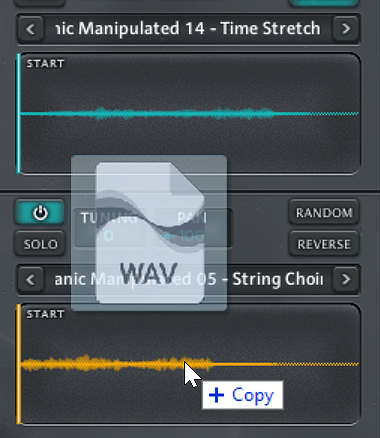
Vektor comes with an innovative and easy to use drag and drop function.
Simply drag and drop your chosen sample into the source window, and it automaps the sample into that source. It’s that easy.
Nearly every element of Vektor can be randomised in creative ways. Simply open up the randomisation page and select the elements you want to randomise by ticking the boxes. You can randomise:
Source Voices: Will just randomise with sample is loaded to each source
Source Filters: Will randomise all 4 source filter types and settings
All Sources: Will randomise all source samples and filters
XY Motion: Will randomise the settings and position of the XY source panel
XY Filter: Will randomise the settings and position of the XY filter panel
Modulation: Will randomise the settings on the modulation page
Effects: Will randomise the settings on the effects page
Everything: Will randomise all of the above at the same time.
4.5/5.0
(Average of 33 reviews)
Sort By: