Sign in to Loot Audio
Access your downloads, purchases and more
Access your downloads, purchases and more

Pulse is a revolutionary new downloader offering blazing fast speeds and powerful control over your libraries. Loot Audio uses Pulse to power some of our downloads and to make managing your libraries more efficient for you.
After your purchase we will send you a unique code (you will also find the code in your account). Use the code with Pulse to power your download and installation. More information about Pulse can be found here.
What are Credits?
You earn Credits every time you purchase a product from Loot Audio. 3% of your order is added to your account in the form of Credits.
Use Credits for money off future orders or convert them to Sample Credits to download samples from the Sounds section of the site.
Emulation of an 80s hidden gem
$27.06
Earn 60
Note: This product is compatible with Kontakt Full 5.6.5 and above







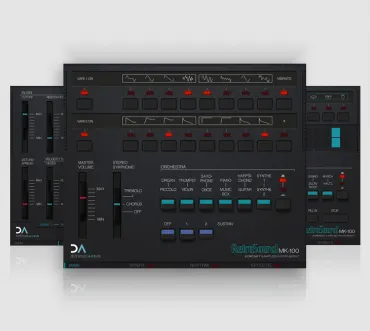
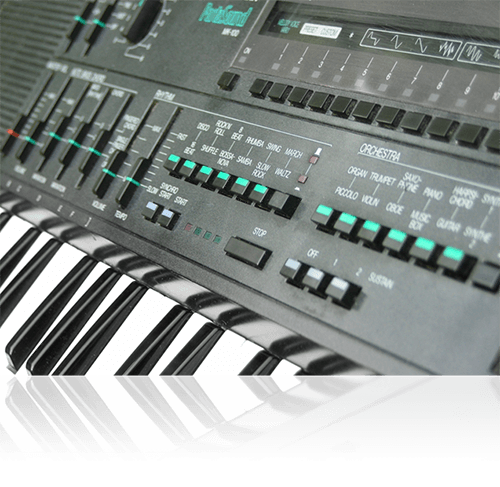
The MK100 was a little gem of a home keyboard. Unlike it's contemporaries, the stereo-chorus equipped MK100 had 12 standard presets consisting of two layers, and you could customise the waveforms and envelopes each used (the manual proudly proclaimed “1,376 sound possibilities!”). And it actually sounded good!
While it’s not an FM machine, it’s voicings and waveforms (and colour scheme!) were clearly derived from the brand new DX range. As it result, it sounded afresh, and looked fabulous!
Not only that, but alongside the preset drum patterns you had a programmable drum machine - yes, for perhaps the first time in a home keyboard you could write your own drum patterns!
A big selling point was the “Multi-Menu”, an innovative device where you would spin a wheel revealing a new set of menu options - nine pages in all, giving the user the ability to customise sounds, access the Custom Drummer, Custom Bassist and Music Recorder functions, and save/load data from cassette.
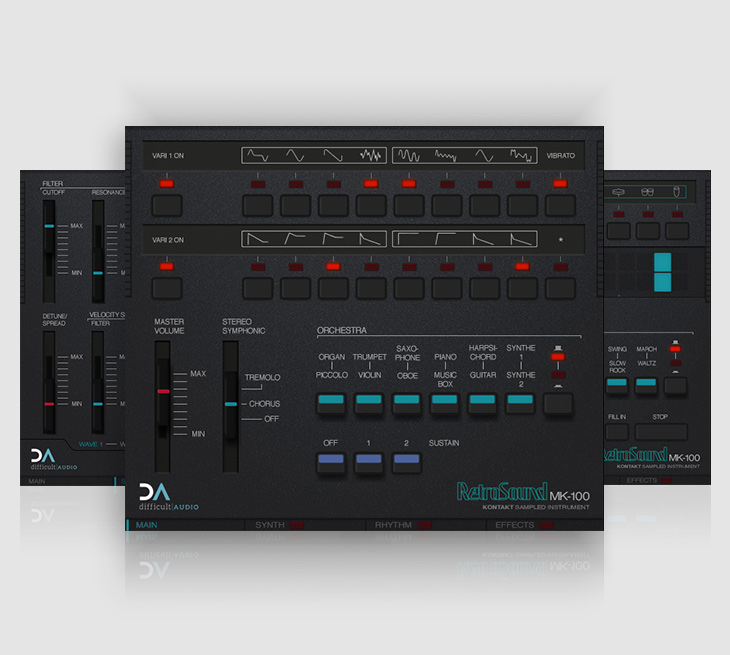
The RetroSound MK100 features the 12 main preset sounds of the hardware.
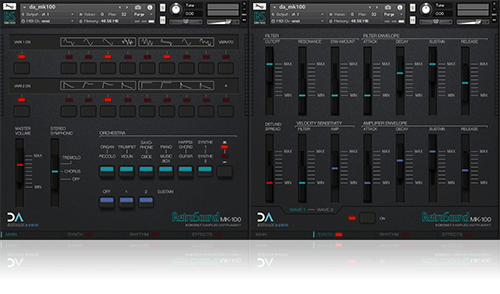
Each preset can be customised individually by turning on Vari 1 (Waves) and/or Vari 2 (Envelopes) and choosing different options - the first group of four in the menu applying to Wave 1, and the second group of four to Wave 2.
Many presets have additional “hidden” waves and/or envelope settings, so different presets have different sound possibilities to explore, true to the behaviour of the hardware.
By turning the Extended Synthesis page on, you now have full control over the filter settings, filter and amp envelopes, and velocity response for each of the two layers (or both together in “Link” mode), to give more creative options while still retaining the character of the instrument.
You can also detune and spread the layers.
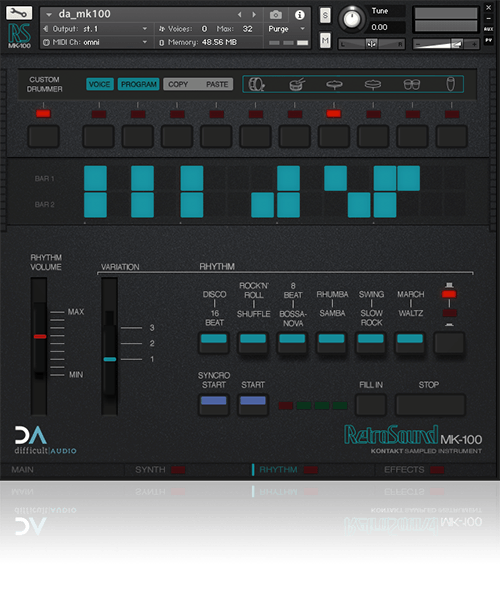
The MK100’s drum machine features 12 pattern preset “styles”, each with three variations, and it’s own fill pattern, and synchronises to the Host tempo.
With “Syncro Start” enabled, the drum machine will start either on a key press, or will follow your Hosts transport controls.
By turning on “Key Play”, the patterns and fills can be triggered in real-time from your MIDI keyboard.
“Custom Drummer” reveals the step editor and allows you to edit/create your own patterns in place of the 36 presets. You can use both the step editor and real-time recording/erasing to create your patterns, using the 6 built-in drum sounds.
“Voice” lets you customise each of the drum sounds - you can change Pitch, shorten the Decay, change the Tone and Colour (the effect of these vary for each voice), send to the global Reverb and Delay (if they are turned on), and balance the Level.
If you chose an output configuration in Kontakt with more outputs than the main stereo output, each drum will be routed to it’s own individual output to your interface/host for further processing.
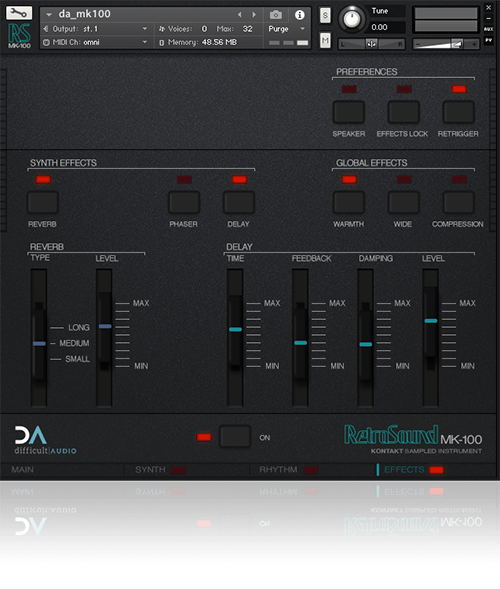
The Effects page features global FX, and other instrument preferences.
Global Reverb and Delay are available on the synth engine (you also can send individual drum voices to each as well), as is a slow deep phaser setting.
The Output effects include tape Warmth, a Wide setting, and an overall Compression effect.
You can disable the FX completely with one button press, and by using the “FX Lock” button, leave your chosen setting in place while browsing additional presets.
Samples
Drums
Effects
Other
4.5/5.0
(Average of 2 reviews)
Sort By: