Sign in to Loot Audio
Access your downloads, purchases and more
Access your downloads, purchases and more

Pulse is a revolutionary new downloader offering blazing fast speeds and powerful control over your libraries. Loot Audio uses Pulse to power some of our downloads and to make managing your libraries more efficient for you.
After your purchase we will send you a unique code (you will also find the code in your account). Use the code with Pulse to power your download and installation. More information about Pulse can be found here.
What are Credits?
You earn Credits every time you purchase a product from Loot Audio. 3% of your order is added to your account in the form of Credits.
Use Credits for money off future orders or convert them to Sample Credits to download samples from the Sounds section of the site.
Your Drums Are Better With Butter.
$128.00
Earn 351







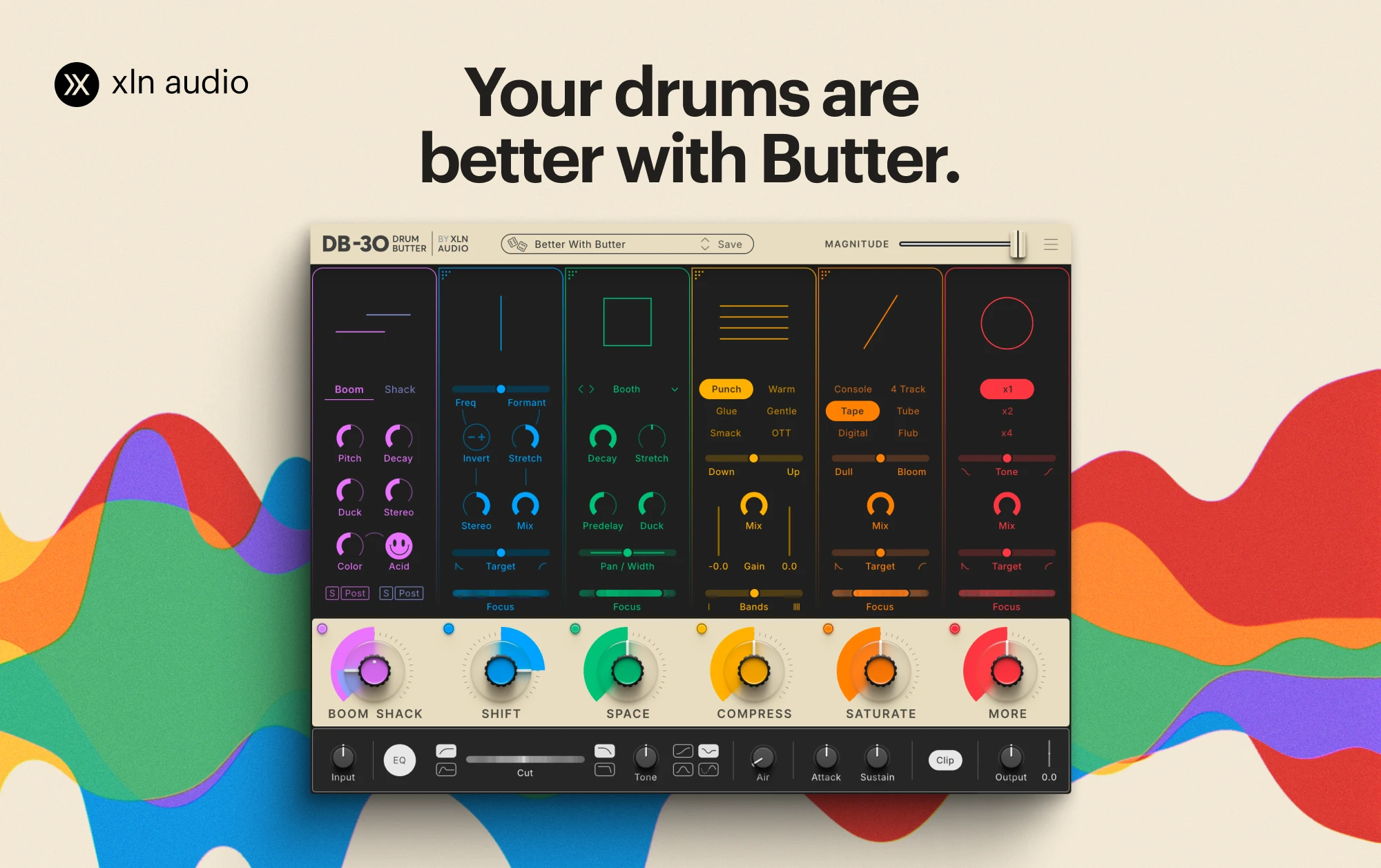
Get a drum beat going in your DAW and add DB-30 Drum Butter to the channel or a bus. When you launch DB-30 Drum Butter, a preset called “Better With Butter” will be loaded. It’s not subtle – whatever your beat sounded like from the start, it sounds very different now. DB-30 was designed to provide immediate access to new creative paths.
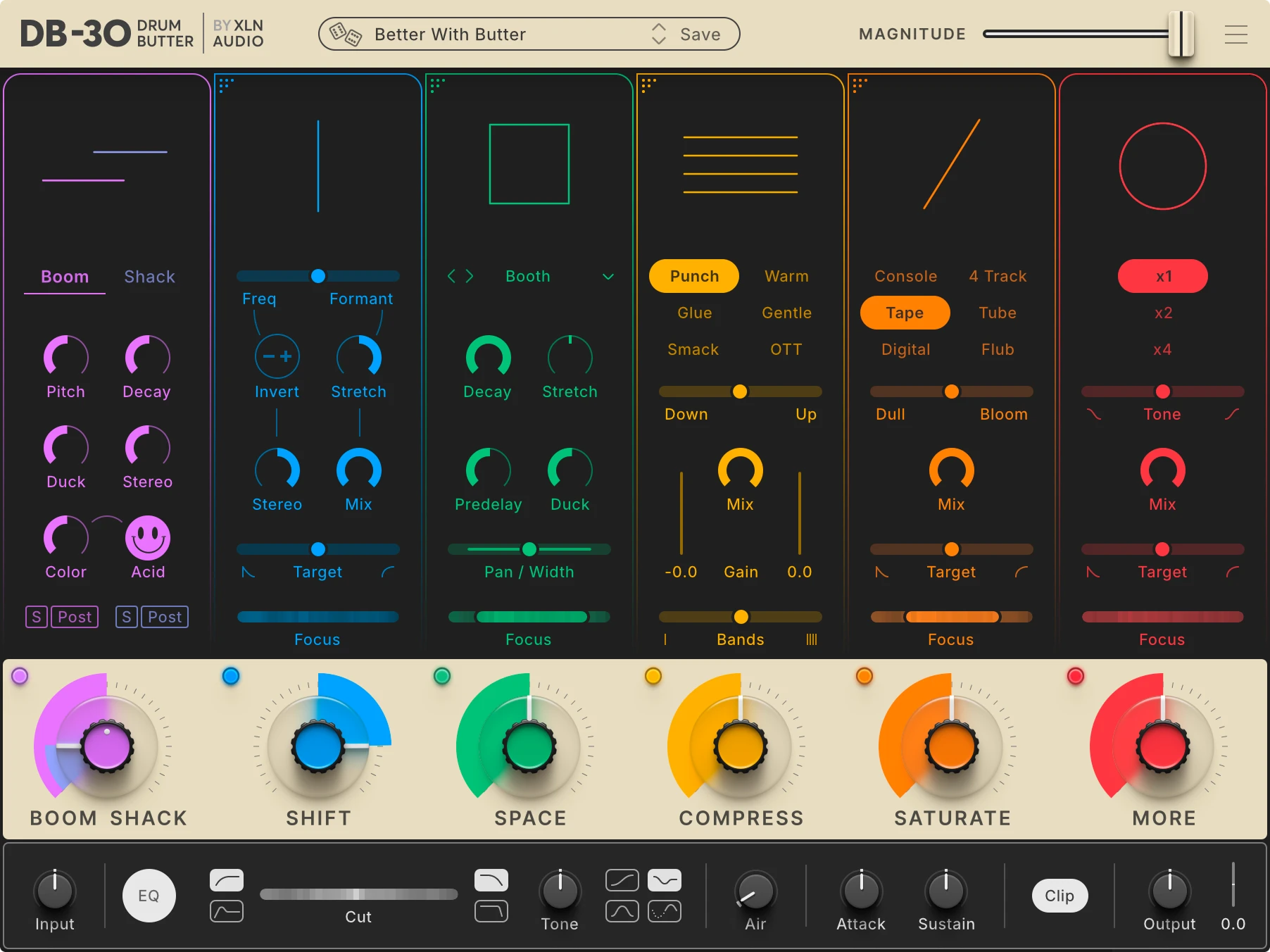
1. Magnitude slider. Lets you adjust all the six big knobs and Maser Section proportionally at once.
2. Preset Browser. Filled to the brim with inspiring presets.
3. Effect Modules. Adjust the settings for each module here. The Focus Filters and Target Sliders let you work on certain frequencies or transients/sustain independently.
4. Module Knobs. The six big knobs are essentially amount controls for each module.
5. The Master Section. Global settings for the summed sound from the six modules: final EQ, Clip, Air and Output level.
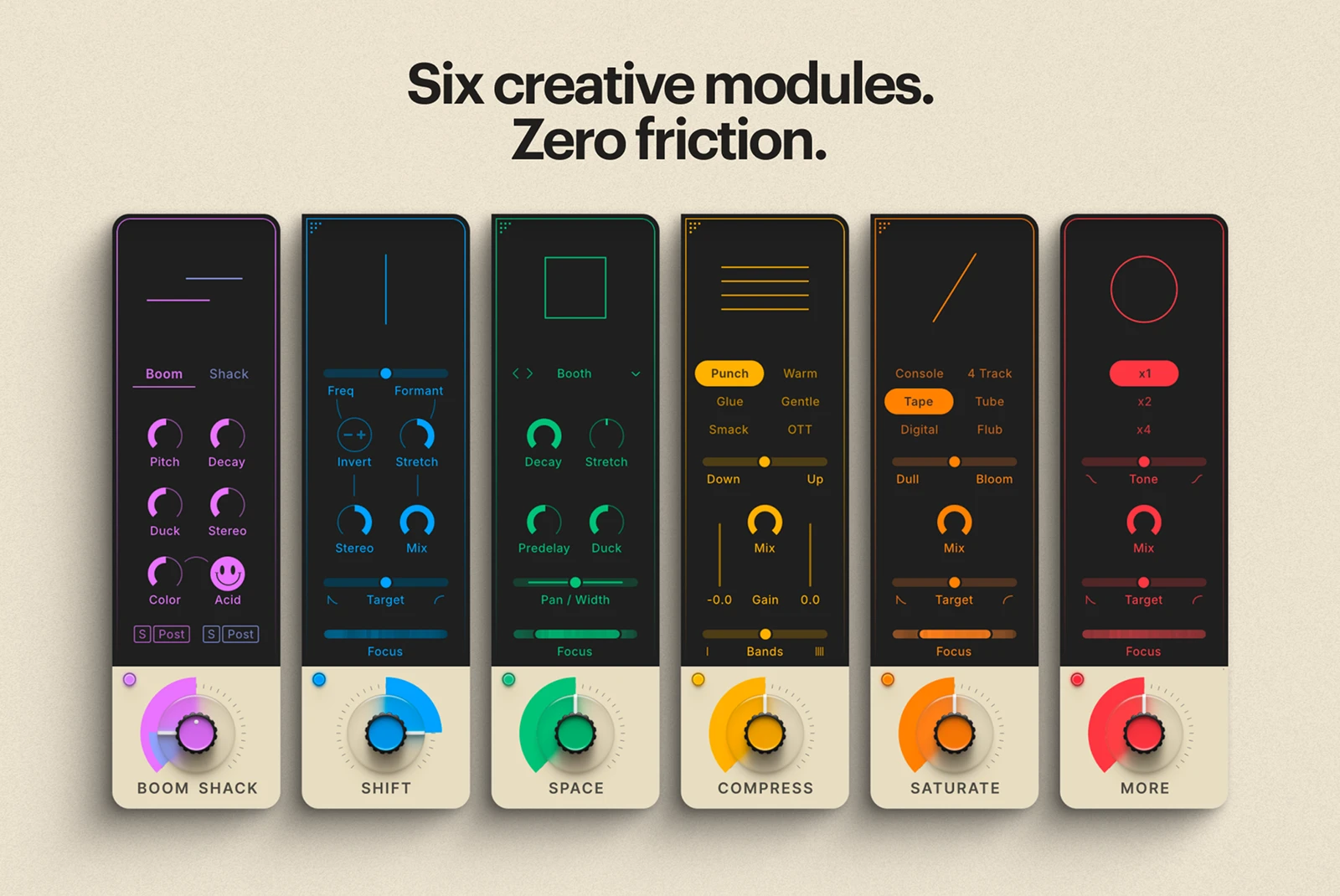
Use the six big Module Knobs to adjust the amount of each module. Note that the big knob for the Boom Shack module is dual – the center adjusts Boom, and the skirt adjusts Shack. In many
cases, these knobs are all you need to find the sound you didn’t know you were after until you heard it.
Use the Magnitude slider at the top right to adjust all six knobs at once and the Master Section. You will see their levels change proportionally. Near each of the big knobs is a small on/off button for each module. If the setting gets too loud, use the Output knob in the lower right corner to find a comfortable level.
At the bottom of the DB-30 interface, you’ll find the Master Section. This is where you have global control over input and output levels, high- and low-pass filters, various tone options and the powerful Air control. You’ll also find the Attack and Sustain controls here, which shape the transients and length of the drum hits. It’s worth noting that the Attack control is great to compensate for any punch you might have lost with a heavily distorted and compressed sound.
It works by blending in the transient portion of the dry sound, prior to any processing. The Loudness Match lets you match your output level to your input level, to not have to worry about gain.
This is also where you’ll find the Undo/Redo buttons and the Snapshot slots, which allow you to save four different iterations of the current state. If you have a great setting but want to keep tweaking, you can simply snapshot the current state and retrieve it with a single click.
The Boom Shack module adds heft and character to your drum sounds. It does that by adding “boom” – sub-bass content to the lower frequency parts, typically the kick drum – and “shack”
– noise content to the top frequencies (typically the snare, but it could include hi-hats as well). Note that the Boom Shack big knob is dual.
The Shift module messes with the fabric of time. It affects the frequency and formant (timbre) of the incoming sound, a type of effect that has been used by forward-thinking producers since the mid-1970s, not least to process drums. The big knob determines the amount and direction of the altered frequency and formant content. Rotate clockwise to push the drums into a higher register. Turn it counter-clockwise for a deep, dark, bass-heavy sound.
The Space module adds reverberation to your sound and includes multiple options, from natural drum rooms to vintage classic hardware reverb units. The big knob controls the level of reverb relative to the incoming dry sound. Adding space can make the sound appear bigger, wider, and larger. But it can also move the sound back, away from the listener – particularly with short reverbs set loud relative to the dry sound.
The Compress module adds compression to the sound, which can give drums a strong sense of punch and energy. The module includes six compressor modes, based on tried and true compression styles and optimized for drums. Turn up the knob for a pronounced compression effect, which will eventually be perceived as “pumping”.
Saturate is where the really good stuff is — this is the distortion section. The saturation/distortion increases as you turn up the knob, adding a raw edge to the drums. You have six different saturation/distortion modes to choose from.
More is more. If you liked Saturate but still think your sound could use some more — well, here’s More for you. Technically speaking, More adds density to your sound by combining a waveshaper and a clipper. Use it for a subtle loudness increase or go nuts and crush your beat.
Ordering the effect modules
The modules affect the sound in series, from left to right. The Boom Shack and More modules have fixed spots at the beginning and end of the chain, but the other four can be rearranged freely. This is done by grabbing the upper left corner of these modules and dragging them to the desired position. Depending on the settings, different orders can yield significantly different
results.
Any memorable song needs a killer drum beat that sounds awesome and oozes character. DB-30 Drum Butter by XLN Audio is the low-friction way to get there. Use it with any drum loop, drum machine pattern, or drum recording, and give your beat a strong, defined identity in seconds.
The DB-30 Drum Butter plugin is compatible with any major DAW, including Ableton Live, FL Studio, Logic Pro, Pro Tools, Cubase and more. It consists of six effect modules, carefully designed to work in tandem and strike the right balance between flexibility and ease of use. The layout and workflow of the DB-30 Drum Butter will be very familiar to anyone who has used XLN Audio’s hugely popular RC-20 Retro Color, which has essentially defined the entire lo-fi music genre.
The DB-30 Drum Butter plugin is available in VST3, AU, or AAX format and compatible with any major DAW, including FL Studio, Ableton Live, Logic Pro, Pro Tools, Cubase, and more.