Sign in to Loot Audio
Access your downloads, purchases and more
Access your downloads, purchases and more

Pulse is a revolutionary new downloader offering blazing fast speeds and powerful control over your libraries. Loot Audio uses Pulse to power some of our downloads and to make managing your libraries more efficient for you.
After your purchase we will send you a unique code (you will also find the code in your account). Use the code with Pulse to power your download and installation. More information about Pulse can be found here.
What are Credits?
You earn Credits every time you purchase a product from Loot Audio. 3% of your order is added to your account in the form of Credits.
Use Credits for money off future orders or convert them to Sample Credits to download samples from the Sounds section of the site.
Mix voiceovers instantly
$23.60
$59.00
Earn 60







VoxDucker has been extensively tested in multiple scenarios and pre-set so that in most cases, you only need to use the depth control to set the amount of ducking for perfect results. However, if you want to dig deeper, the plugin offers a huge amount of control for you to fine-tune the ducking.
HOW IT WORKS
Place VoxDucker on the track you wish to duck, this will typically be the backing music and route the voice into the plugin's sidechain input (see your DAW docs for routing). VoxDucker will now listen to the voice tack and duck the music out of the way, keeping the main focus on the voice.
MULTI-MODE
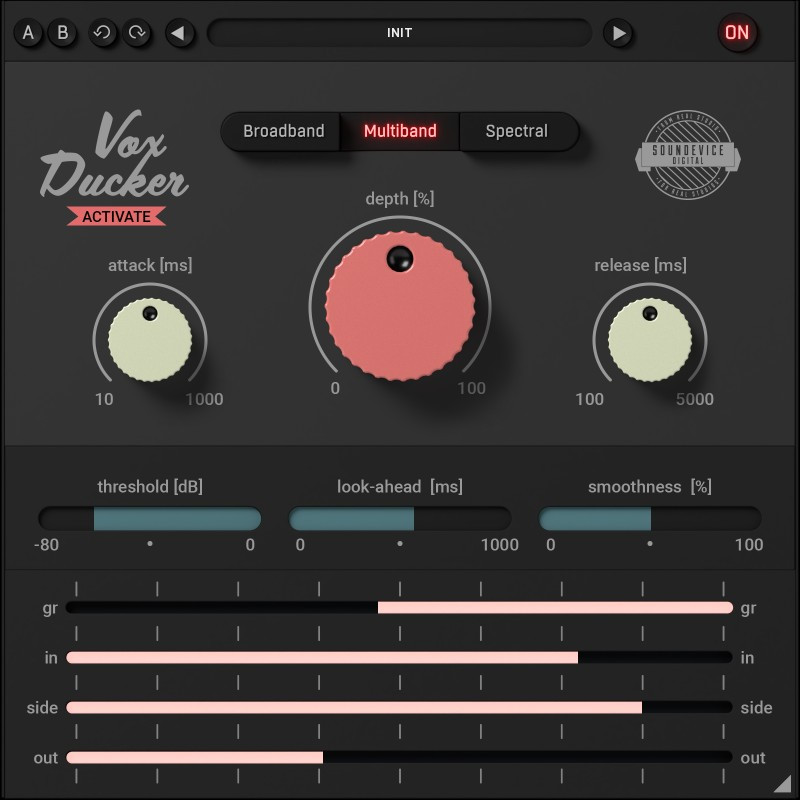
The plugin features three types of ducking to choose from, each offering varying levels of transparency, preserving more of the ducked signal by focusing the ducking on frequencies present in the sidechain signal. You can easily switch between them to find which mode is the perfect fit for your situation.
VISUAL FOCUS AND FEEDBACK
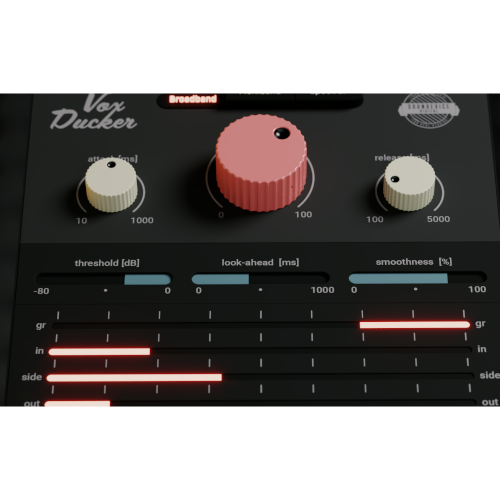
The plugin's GUI is minimal yet informative, allowing you to focus on the most important controls. The extensive metering section gives you visual feedback on the amount of ducking and levels of the Input, Output and Sidechain signals.
DREAM TEAM
VoxDucker and Voxessor make the perfect partnership. Simply place Voxessor on the voice track and VoxDucker on the backing track; the two will work perfectly together. The result is a well-balanced mix that preserves as much of the backing as possible for maximum impact while simultaneously delivering a clear and focused voice that takes centre stage.
NOT ONLY VOICE
While VoxDucker is primarily designed to work excellently on voice-over and vocals, it can actually be used on any audio type. You can use it to duck bass when the kick sounds or duck rhythm guitar when the lead sounds, all using the selectable modes.
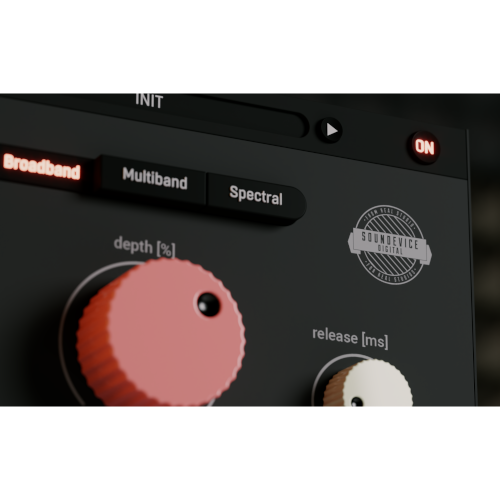
The photorealistic graphic user interface of the plugin gives you the feeling you are touching the real hardware. But it easily adapts to your needs. You can always drag the arrow in the bottom right corner to change its size - make it smaller to save valuable screen space, or enlarge it to make it easier to use.
SMART BYPASS
The intelligent way our plugins manage bypassing ensures that you don't get any clicks or harmful noises when automating the parameter. It also compensates for latency ensuring that the bypass states are perfectly in sync with each other.
64-BIT AUDIO QUALITY AT ANY SAMPLING RATE
The plugin provides the maximum audio quality you can get. It uses internal 64-bit audio processing and can handle any sampling rate. 192 kHz or even higher.
INTELLIGENT SLEEP ON SILENCE
This plugin intelligently detects whether it makes sense to perform processing at all. And if not, it temporarily turns on sleep mode. In such a state, it requires virtually no CPU at all to save the computing sources for other processes.
HASSLE-FREE SOFTWARE PROTECTION
No iLok, no dongle nor internet access is required for activation. Our software uses licence files to activate your software. You can freely use the purchased software on all your computers as long as you are the user.
15-DAYS UNLIMITED TRIAL VERSION FOR FREE
All the descriptions are nothing compared to putting your hands on the plugin. No saving limits. No noises. No boundaries. Engage the plugin in your project for real and fully exploit its powers for two weeks.
FREE-FOR-LIFE UPDATES
Our plugins never get obsolete. We keep track of the current operating systems and DAWs. And you may always update to the most recent version for free. Without paying a cent, a penny, or whatever currency you prefer.
4.5/5.0
(Average of 4 reviews)
Sort By:
Windows 8/10/11 (64-bit)
mac OS 10.10 to 12 (64-bit)
Intel/AMD/M1 processor with SSE2 support
VST2, VST3, AU and AAX
Installation is a quick and simple process involving downloading and using a standard installer on both platforms, Windows and Mac OS X. The installer places the plugins and presets into proper locations so that your DAW can easily find them. The plugin is available for all relevant interfaces: VST, VST3, AAX and AU. Note that on OS X since High Sierra you may need to restart your computer to make your DAW find new plugins.
VoxDucker is initially in demo mode, which lets you evaluate the plugin. Try it in your mixing/mastering sessions and make sure it really does the trick. When ready, purchase a licence from our shop or any of our resellers. You will receive a so-called licence file, which you download to your computer. The plugin displays an ACTIVATE button when in trial mode. Click it and select the licence file. The plugin will check the licence and activate the licence on your computer. After you restart your DAW, the plugin will be activated and will work indefinitely without restrictions. You can use the plugin on all your computers.
IMPORTANT: The plugin is only compatible with applications supporting sidechain audio connections.