Sign in to Loot Audio
Access your downloads, purchases and more
Access your downloads, purchases and more

Pulse is a revolutionary new downloader offering blazing fast speeds and powerful control over your libraries. Loot Audio uses Pulse to power some of our downloads and to make managing your libraries more efficient for you.
After your purchase we will send you a unique code (you will also find the code in your account). Use the code with Pulse to power your download and installation. More information about Pulse can be found here.
What are Credits?
You earn Credits every time you purchase a product from Loot Audio. 3% of your order is added to your account in the form of Credits.
Use Credits for money off future orders or convert them to Sample Credits to download samples from the Sounds section of the site.
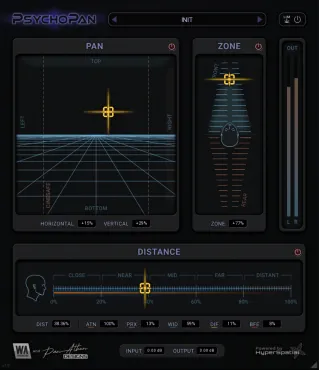
A stereo imaging plugin built for detailed spatial shaping

$23.00
Earn 60







• Delay Control
Independently adjust the delay for the left and right channels, creating a wider stereo image.
• Stero Width Control
Precisely control the stereo width to widen or narrow the stereo field, enhancing the spatial characteristics of your audio.
• Frequency Shaping
Use high-pass and low-pass filters on both left and right channels for detailed tonal shaping.
• Volume and Pan Adjustments
Separate controls for mid and side channels allow you to balance the stereo field and control panoramic placement.
• Dry/Wet Mix
Adjust the blend between processed (wet) and unprocessed (dry) signals for flexible effect intensity.
• Clipping Protection
Built-in soft and hard clipping prevents any peaks above 0dB, ensuring a clean and distortion-free output.
• Duophonic Effect Capabilities
Simulate stereo sound from mono sources by desynchronizing two channels, with frequency shaping and optional reverb or stereo echo.
TRIM: Control the input volume with the TRIM knob, ranging from -40.00dB to +40.00dB. Fine-tune your audio levels with precision.
CONSOLE NOISE: Calibrated hiss derived from a classic 8 bus console spectrum.
CONSOLE AGE: Asymmetric distortion simulating analog component aging.
GAIN X2: Switchable X2 Gain. Doubles boost/cut span of parametric bands (±15dB > ±30dB).
FREQ X2: Variable EQ resolution (3kHz > 6kHz). Affect only the parametric bands, keeping shelves at musical ±15dB.
GAIN IN: Adjust the input gain with a range from Infinity to +40dB. This emulation of an analog mixing console circuit adds warmth and character to your audio. Dialing further the signal gets overdriven and clipped creating harmonious gain distortion.
HI MID: Fine-tune your audio with a ±15dB equalization control. This true 3-control parametric design allows precise adjustments to the high-mid frequencies.
HI MID FREQ: Modify the frequency of your high-mid adjustments using a range from 500Hz to 18kHz.
BAND WIDTH OCTAVES: Shape the width of your equalization bands with this knob, ranging from 3 octaves to 1/12 octave. Achieve the right balance and clarity in your sound.
LO MID: Utilize ±15dB equalization control for the low-mid frequencies.
LO MID FREQ: Adjust the low-mid frequency within the 45Hz to 3kHz range. Tailor your sound to match your creative vision.
BAND WIDTH OCTAVES: Shape the width of your equalization bands with this knob, ranging from 3 octaves to 1/12 octave.
LO EQ: Shape the low-end of your audio using this ±15dB fixed 80Hz shelving equalizer. Adding depth to your mix.
HI EQ: Enhance high-frequency elements using the ±15dB fixed 12kHz shelving equalizer. Bring out the brilliance and sparkle in your tracks.
LOW CUT: Activate an 18dB/octave low-cut (high-pass) filter by pressing this button. With a -3dB point at 75Hz to eliminate unwanted low frequencies.
EQ IN: Engage or disengage the EQ knobs on the channel with this button. Quickly toggle between the enhanced and original audio.
EQ FLIP: Flip the signal flow of the EQ SECTION and CLIPPER with this switch. Experiment with unique signal routing configurations.
FADER: Control the channel volume with a fader that ranges from Infinity (∞) to +10dB. Achieve the perfect mix balance effortlessly.
BYPASS: Mute the channel instantly using the BYPASS button. Ideal for comparing the processed and unprocessed sounds.
OUTPUT: Adjust the output volume with the OUTPUT fader, ranging from Infinity (∞) to +10dB. Ensure your final mix is at the desired level.
PARALLEL <> DAISY BLEND: Equal power cross fade between processing paths (0 % = parallel, 100 % = serial).
MIX: Blend your input signal with the processed output signal using the MIX knob, adjustable from 0% to 100%. Discover the ideal blend for your project's needs.
PRESETS: Explore a rich collection of factory presets crafted by various artists. Instantly access a range of sonic textures and creative possibilities at your fingertips.