🚨 Free product included with qualifying orders πŸš¨β˜…πŸš¨ Free product included with qualifying orders πŸš¨β˜…πŸš¨ Free product included with qualifying orders πŸš¨β˜…πŸš¨ Free product included with qualifying orders πŸš¨β˜…πŸš¨ Free product included with qualifying orders πŸš¨β˜…πŸš¨ Free product included with qualifying orders πŸš¨β˜…πŸš¨ Free product included with qualifying orders πŸš¨β˜…πŸš¨ Free product included with qualifying orders πŸš¨β˜…πŸš¨ Free product included with qualifying orders πŸš¨β˜…πŸš¨ Free product included with qualifying orders πŸš¨β˜…
Theme

Forthcoming Events

No forthcoming events scheduled.


Expired Events

Summer Sale Ended: 14 Jul 2026
May 2026 Deals Ended: 31 May 2026

Live Event

Active

Heatwave Sale 2026

Feel The Heat! From industry-leading plugins and Kontakt instruments to essential sample packs and cinematic sound design libraries.

Ends In
17d 14h 08m 22s
VIEW ALL DEALS

0

0

Change country:

We use cookies

We and selected 3rd parties use cookies or similar technologies as specified in our Cookie Policy

You can consent to the use of such technologies by using the "Accept" button

Manage cookies

Essential
Essential cookies required for business process and to make the website usable by enabling basic functions. (always active)
Marketing
Marketing cookies are used to serve personalised ads and analyse performance.

Plugin

Plugin Instruments

Diginoiz

Layer It

Hit one note, play whole stack! 

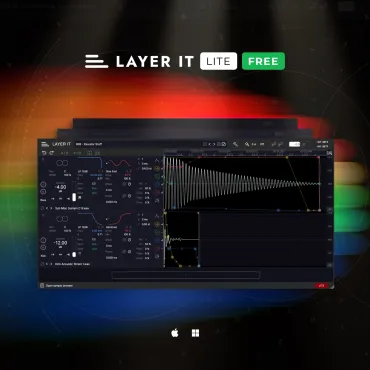
Diginoiz - Layer It Plugins & FX Software GUI Artwork
Diginoiz - Layer It Screenshot 2
Diginoiz - Layer It Screenshot 3

$99.00

Earn 225

Digital Download

0

Instant Access Direct download
100% Genuine Official license
Flexible Payments PayPal, Card or Wallet
Support Here to help
Guaranteed Safe & Secure Checkout
Visa Mastercard American Express Apple Pay Google Pay Klarna

Product Overview

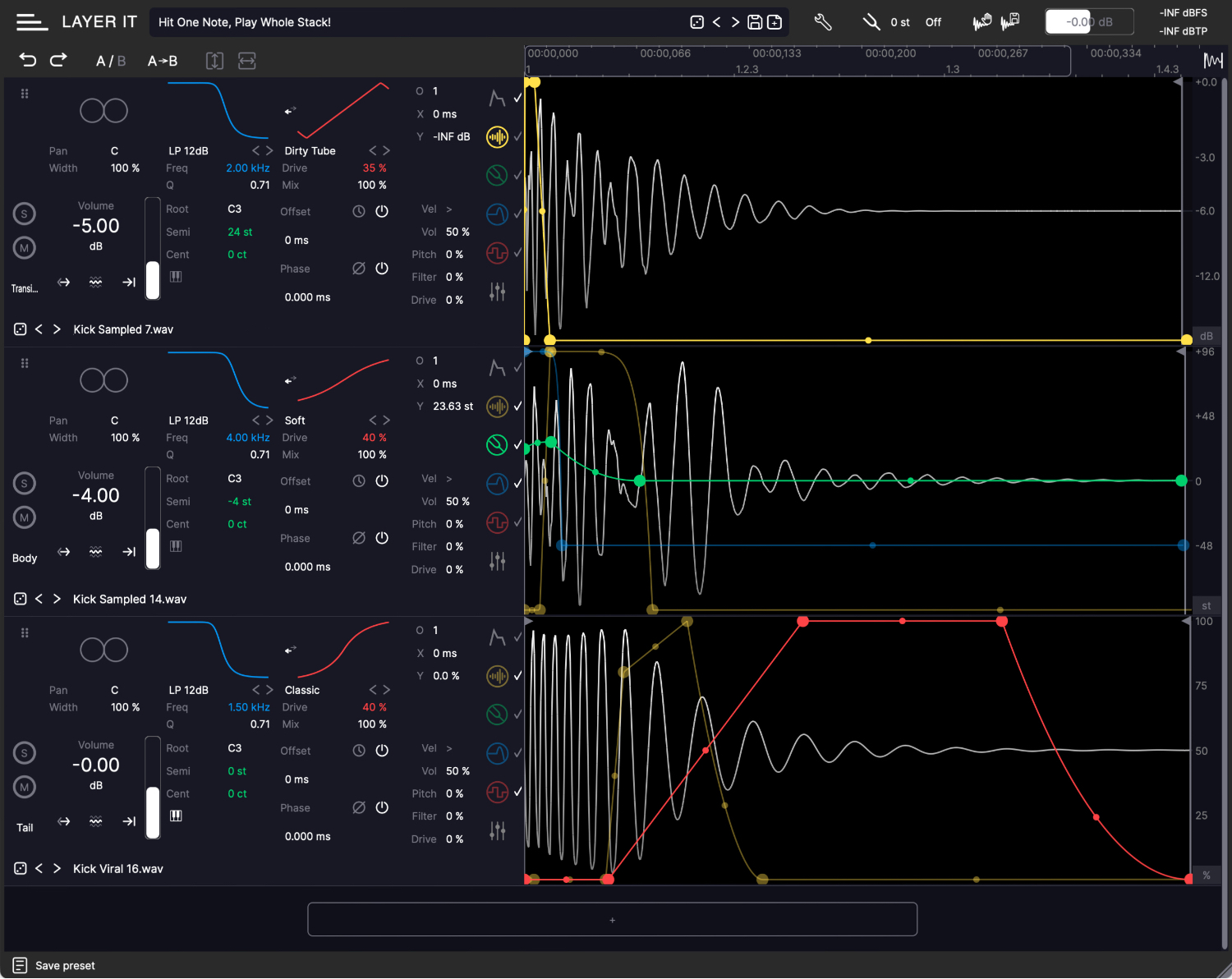
LAYER IT is a VST sampler designed for crafting drum, percussion, and effect one-shots through layering. It provides precise control over the time relations between samples, multi-stage envelope generators to shape parameters fundamental in sound design, and convenient visual feedback that facilitates swift workflow.

Features

  • 155 presets
  • unlimited number of layers
  • user mono and stereo samples import in WAV, MP3, WMA, AIFF, FLAC, and OGG formats
  • sample stack export as audio file to specified folder
  • sample stack drag & drop as audio file to preferred location, including DAW’s timeline
  • output level metering in dBFS and dBTP
  • oversampling up to 16x
  • global pitch setting
  • A/B settings comparison functionality
  • undo/redo functionality
  • locking of MSEG X or Y axis movement
  • waveform zoom controls
  • automatic fitting of envelope length to sample length
  • snap to zero-crossing functionality
  • global middle C MIDI transpose toggle ensuring cross-DAW compatibility
  • presets browser with randomisation feature
  • convenient parameter control with mouse, scroll wheel, keyboard arrows, and keyboard input
  • dedicated help bar with additional optional tooltips displayed on GUI
  • scalable GUI size
  • interchangeable layer positions
  • DAW automation support

DETAILS

Diginoiz - Layer It - DETAILS

Conventional drum layering methods utilising audio or MIDI clips are neither fast nor seamless.

Audio clips restrain swapping or editing multiple samples, MIDI clips on separate tracks lack visual representation of waveform relationships, and a typical multi-sample drum rack requires separate MIDI notes to trigger each sample. These are just a few drawbacks, and additionally, copying and pasting stacks of clips is unhandy across all approaches.

LAYER IT integrates visual clarity of audio with flexible control of MIDI while avoiding limitations of each method. It visually resembles DAW’s arrangement view with waveforms displayed one beneath the other and the possibility to set standard parameters such as volume and pan for each layer. However, playback of the entire stack of layered samples can be triggered with an individual MIDI note or a single key press, while each sample’s time offset can be adjusted individually and synchronised with the session’s tempo.

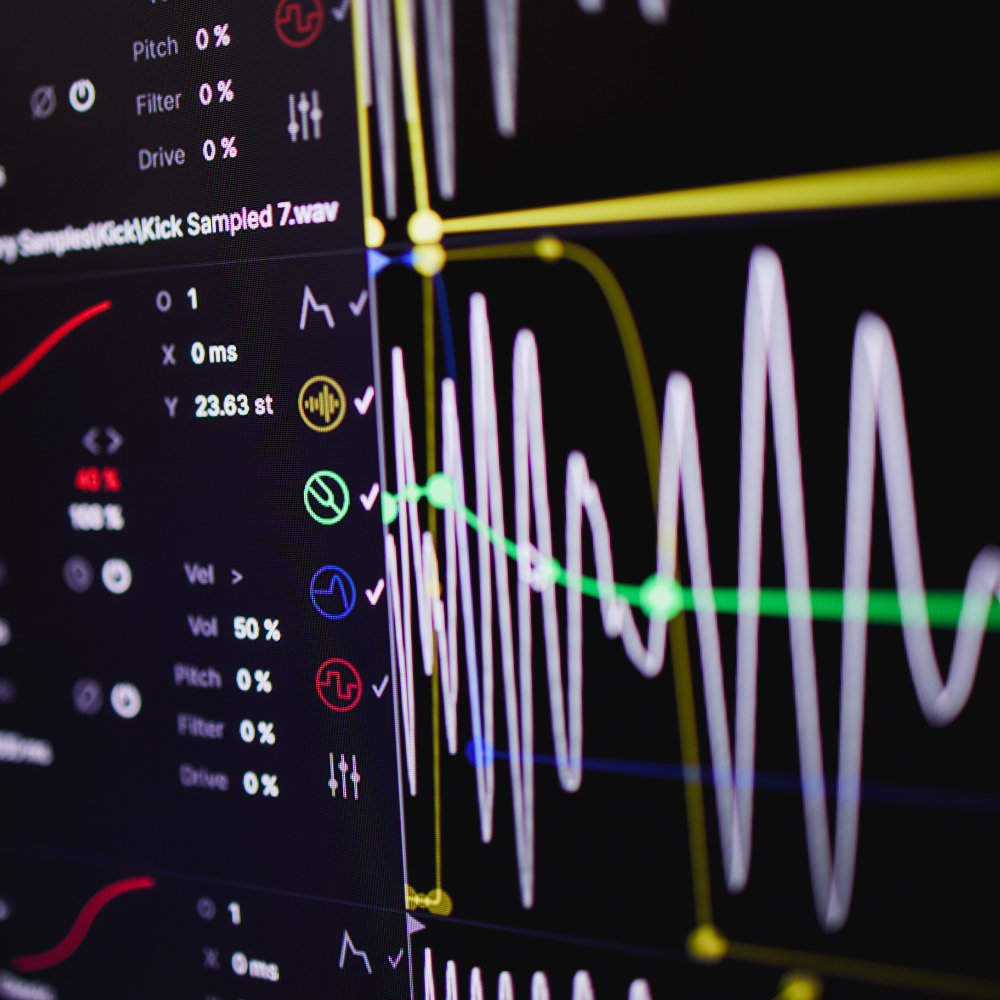
Moreover, each layer's volume, pitch, filter frequency, and distortion amount can be defined by dedicated multi-stage envelope generators, allowing for unrivalled sound-shaping precision and enhanced sound design possibilities.

In essence, LAYER IT operates as a streamlined, self-contained DAW with MIDI-triggered playback, and additionally, the created drum stack can be exported as a single audio file to a folder or dragged directly onto the DAW’s timeline.

LAYER IT is intended for beatmakers who want to quickly add an extra layer to enhance their favourite drum sample, music producers who want to efficiently layer their drums in order to sound stylish but unique, and sound designers who want to create complex percussive textures as effortlessly as possible.

FREE VERSION AVAILABLE

Diginoiz - Layer It - FREE VERSION AVAILABLE

Download a completely free Lite version of the Layer It plugin. Click on the DOWNLOAD DEMO button on this page.

With it, you can fully test how Layer It works and convince yourself that it’s something you won’t want to work without from now on.

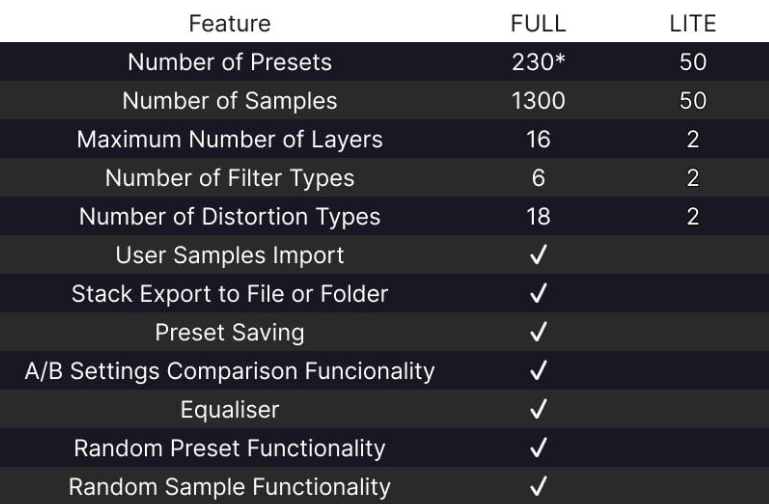
Here's a table comparing the Lite version with the full version.

Additional Information

Mac
macOS 10.13 64-bit for Apple Mac Apple® M1-M5® CPU supported natively

Windows
Windows 10, 11 (64-bit)

Formats
VST3, AU, AAX (available soon)
Standalone Application (Windows and macOS)

Categories:

Sound Design Drums

Formats:

Plugin

Genres:

All Genres EDM

Tags:

Drums Plugin

Changelog

1.0.1

08/03/26

Factory Presets:

  • New preset files have been added to the Windows Setup and PKG installer.


Usability UI/UX:

  • Improved version of the "Auto Fit Envelope Length" SVG icon, now featuring an MSEG envelope waveform.
  • The About Dialog now includes a standalone version icon and text.
  • The AboutDialog UI class components are now more easily handled when the docked About dialog is resized.
  • The improved ADSR display uses a conversion method that changes seconds to milliseconds. It displays the attack, decay, and release parameters in milliseconds.
  • Improved MSEG envelope rendering was added, which opens a file browser that allows users to select the target WAV file.
  • Improved handling of positioning two MSEG points at the zero-time position was added. Now, both can have zero time.
  • Improved handling of positioning two MSEG points at a custom position was also added, ensuring that the time delta is at least the minimum time step (1 ms).
  • The default MSEG envelope release phase was updated to 10 ms.
  • Improved handling of the Root-Note control UI class was added:
    • Use the right mouse button (RMB) for root note selection.
    • Reset the root note to the default C3 by double-clicking the mouse.
  • Added ESC key handling to close docked windows, such as the "About" dialog or file browsers.
  • Fixed the color of the text in the "About" dialog, "Preferences" dialog and file browsers to the highlighted color for a high-contrast representation.
  • A new Preferences dialog has been added that can be docked or used as a standalone floating window.
  • Improved handling of the licence browse button in the AboutDialog UI class has been added: the button is now disabled if a licence is present, as there is no need to browse for licence files.
  • Updated the default MSEG envelope to a four-point envelope with a short release phase of 50 ms.
  • The position of the close button on the DockComponent UI class has been fixed and moved to the left side of the title bar.
  • The load configuration routine has been removed from the editor UI in order to optimise repeated disk access when the UI opens (this should also reduce CPU spikes slightly).


Audio parameters:

  • Preset changes work more smoothly now because parameter updates are blocked during loading and then refreshed once the loading process is complete.
  • The filter and EQ skew parameters were updated to enable greater precision in the low frequency range.
  • Updated the maximum value of the 'Offset' parameter to 10000 ms.


Bug Fixes:

  • Fixed the 'Reveal in Explorer...' action for factory samples: it now shows the corresponding factory sample file.
  • Fixed he initial folder for the 'Save Preset As...' action by using the user-defined default folder, if set.
  • Fixed a crash caused by dangling sample start/end parameter attachment pointers by resetting the unique pointers before deleting the parent Sample-Viewer.
  • Fixed a bug in Standalone mode where the unloaded configuration was not checked and loaded manually when the audio card had not yet been configured.
  • Fixed the sample parameter updates: in the event that no layers are available, the process will be terminated immediately.
  • Fixed a plug-in crash in Ableton 12.3.2 caused by updating and painting the UI from a non-MessageThread.
  • Fixed a plug-in crash caused by mutable envelope points access when clicking to MSEG point control in Ableton 12.3.2.
  • Fixed async UI parameter handlingby capturing values safely and enforcing MessageThread dispatching.
  • Fixed handling of the Envelope Editor and Sample Viewer UI options via the new PreferencesDialog UI class.
  • Fixed a crash caused by accessing an invalid MSEG index.
  • Fixed the initial MSEG line painting at the zero-time position when two or more points are located there.
  • Fixed the upper limit for the high shelf EQ frequency by increasing it to 20000 Hz.
  • Fixed the high shelf EQ frequency tooltip by replacing the "Set high bell filter frequency" string with the "Set high shelf filter frequency" string.
  • Fixed EQ frequency tooltip typos.
  • Fixed the issue when dragging the last MSEG point out of the sample bounds: it is now limited to the bounds of the sample.
  • Fixed the "Add Location" button label.
  • Fixed the issue with the sticking first layer when re-/opening the main editor UI: use the lightweight 'active' flag when initially activating the first layer by default.

Discover More

View All Events

BROWSE ALL

Happening Now

View Heatwave Sale 2026

SHOP LIVE EVENT
Your Playlist CLEAR
Your playlist is currently empty. Visit a product page and add some tracks to your playlist
Audio Player

0:00
0:00