




🚨 Free product included with qualifying orders πŸš¨β˜…πŸš¨ Free product included with qualifying orders πŸš¨β˜…πŸš¨ Free product included with qualifying orders πŸš¨β˜…πŸš¨ Free product included with qualifying orders πŸš¨β˜…πŸš¨ Free product included with qualifying orders πŸš¨β˜…πŸš¨ Free product included with qualifying orders πŸš¨β˜…πŸš¨ Free product included with qualifying orders πŸš¨β˜…πŸš¨ Free product included with qualifying orders πŸš¨β˜…πŸš¨ Free product included with qualifying orders πŸš¨β˜…πŸš¨ Free product included with qualifying orders πŸš¨β˜…
Theme

Forthcoming Events

No forthcoming events scheduled.


Expired Events

Summer Sale Ended: 14 Jul 2026
May 2026 Deals Ended: 31 May 2026

Live Event

Active

Heatwave Sale 2026

Feel The Heat! From industry-leading plugins and Kontakt instruments to essential sample packs and cinematic sound design libraries.

Ends In
17d 16h 15m 16s
VIEW ALL DEALS

0

0

Change country:

We use cookies

We and selected 3rd parties use cookies or similar technologies as specified in our Cookie Policy

You can consent to the use of such technologies by using the "Accept" button

Manage cookies

Essential
Essential cookies required for business process and to make the website usable by enabling basic functions. (always active)
Marketing
Marketing cookies are used to serve personalised ads and analyse performance.

Plugin

Plugin Effects

Bleass

BLEASS Flanger

21st Century Flanging

Bleass - BLEASS Flanger Plugins & FX Software GUI Artwork

$19.99

Earn 54

Digital Download

0

Instant Access Direct download
100% Genuine Official license
Flexible Payments PayPal, Card or Wallet
Support Here to help
Guaranteed Safe & Secure Checkout
Visa Mastercard American Express Apple Pay Google Pay Klarna

Product Overview

BLEASS Flanger harnesses the sonic characteristics of classic flanger effects and brings them fully up-to-date with a pair of flexible LFOs, variable modulation routing, an envelope generator and beat synchronisation.

Classic flangers are a delay-based effect, and modulate the delay time to create the distinctive, repetitive flanged sound. But with BLEASS Flanger, multiple modulation sources are combined to create detailed, complex and evolving timbral movement within your sound.

The addition of an envelope generator, which is triggered by the incoming signal, adds an additional dimension to the flanger effect, making it sensitive to the dynamics and nuances of your performances. The second LFO can take the sonic possibilities further still, with the option for it to modulate the delay’s feedback strength or stereo width.

The tonal character of the effect can be controlled easily thanks to the multi-mode input filter, whilst the ability to synchronise the LFOs to the beat of your music allows you to explore completely new rhythmic and evolving effects.

BLEASS’ trademark interface design ensures this powerful collection of tools are both easy and fun to work with, so you can harness their sonic versatility without ever hindering your musical creativity. And with super-efficient CPU usage, and compatibility with all major hosts and DAWs on desktop, iPad or iPhone, BLEASS Flanger is the only flanger you will ever need.

Features

  • DUAL LFOs WITH 6 SHAPES: Offers extensive modulation control for creating both classic and unique flanging effects.
  • ENVELOPE FOLLOWER: Modulates delay time based on input signal dynamics, allowing for expressive, responsive flanging.
  • BEAT SYNCHRONIZATION: LFOs can sync to the beat, facilitating rhythmic flanging effects that blend seamlessly with your music.
  • INPUT FILTER: Features a low-shelf or high-pass filter to shape the sound before flanging, adding to the effect's versatility.
  • LOW CPU USAGE: Ensures that even complex flanging sounds can be used without significant performance impact, ideal for both studio and live settings.

DETAILS

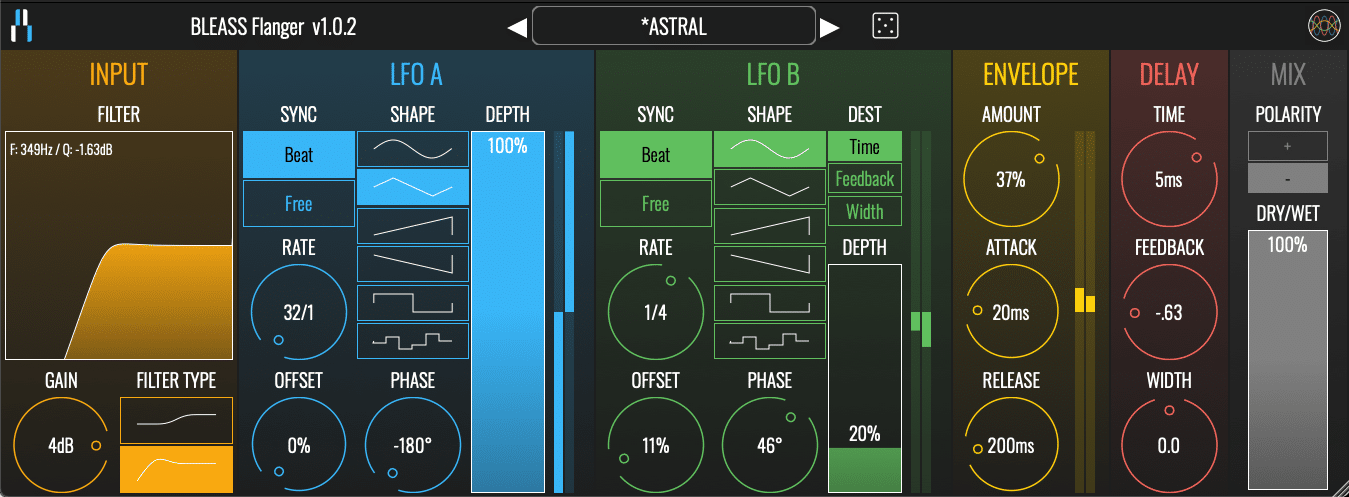
INPUT SECTION

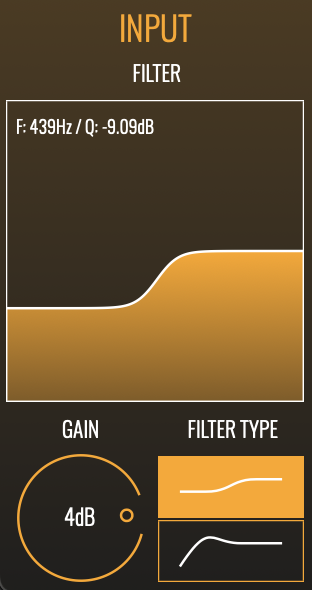
FILTER: The filter graph shows a visualisation of the current input filter settings, and allows you to change those settings by clicking and dragging on the graph.

When the filter is operating in low-shelving mode, drag left-to-right to adjust the corner frequency, and drag up-and-down to adjust the amount of cut or boost to apply below the corner frequency.

When the filter is operating in high-pass mode, drag left-to-right to adjust the cutoff frequency, and drag up-and-down to adjust the filter’s resonance.

FILTER TYPE: Sets the filter type. Choose between a low-shelving filter (upper button) or high-pass filter (lower button).

GAIN: Sets the input level of the signal to be processed (does not affect the direct “dry” signal).
 

LFO A stage
This LFO modulates DELAY TIME

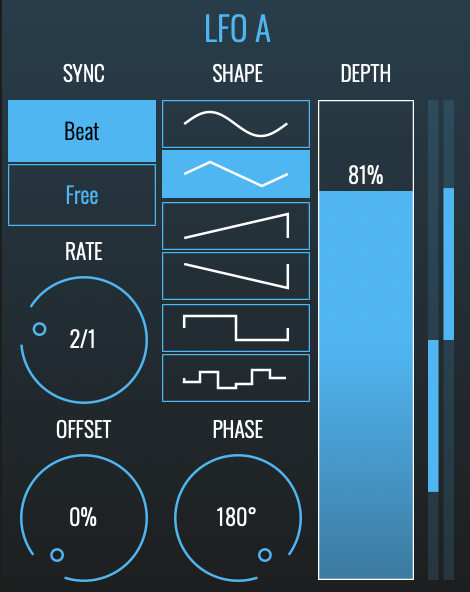
SYNC: Select BEAT mode to synchronise the LFO to your DAW’s timing and tempo. Use FREE mode to have the LFO run freely at a specific rate.

RATE: Sets the time taken for the LFO to complete one cycle. When Sync is in BEAT mode, the Rate is set as a fraction of a beat. When Sync is in FREE mode, the Rate is set in Hz (I.E. number of cycles per second).

SHAPE: Select the waveform that will be used by the LFO. Options are (from top to bottom): Sine, triangle, sawtooth up, sawtooth down, square and sample-and-hold.

DEPTH: Sets the magnitude of the LFO. Higher settings will create larger modulations, resulting in a more prominent flanging effect.

OFFSET: When Sync is in BEAT mode the Offset dial moves the start/end point of the LFO’s cycle with respect to the beat.

PHASE: Creates a phase offset between the left and right channels of the LFO’s waveform. When set to 0°, both channels modulate together in lock-step. Increasing or decreasing the Phase introduces an ever greater offset between the channels until, at 180°, they are fully inverted from each other.

 
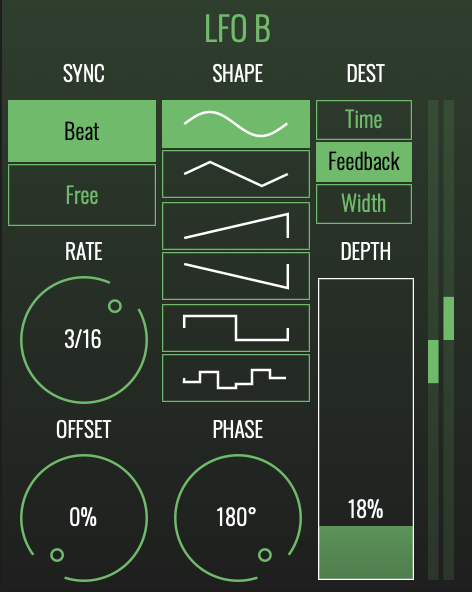
LFO B stage:
This LFO can modulate either DELAY TIME, DELAY FEEDBACK or DELAY WIDTH

This LFO has the same features as the LFO A except for an additional feature:

DEST (LFO B only): Determines the delay parameter that will be modulated by LFO B (LFO A always modulates delay time).

  • TIME routes LFO B’s modulation to delay time.
  • FEEDBACK routes LFO B’s modulation to delay feedback.
  • WIDTH routes LFO B’s modulation to the delay width.
 

ENVELOPE SECTION

AMOUNT: Determines the strength of the envelope’s impact on the delay time.

ATTACK: Sets the time taken for the envelope to reach its full modulation value after an incoming note or sound has been detected.

RELEASE: Sets the time taken for the envelope to return to zero modulation after a note or sound ends.


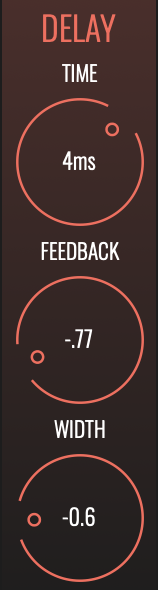
DELAY SECTION

TIME: Sets the base delay time that will be modulated by the LFOs and/or Envelope generator. Longer settings result in more prominent and intense flanging effects.

FEEDBACK: Sets the strength of the signal that is fed back into the delay processor’s input. Higher settings tend to accentuate the shifting frequencies within the sound.

WIDTH: Weights the delay time towards the left or right channel. When at maximum or minimum positions, only one channel will receive delay time modulation; when in the middle position both channels will receive the same amount of delay time modulation.


MIX SECTION

POLARITY: Controls whether the wet signal is added to or subtracted from the dry signal. This can impact on the character and colour of the results.

DRY/WET: Controls the volume balance between the direct “dry” signal and the processed “wet” signal. At 0%, only the direct signal will be heard; at 100% only the effected signal will be heard.

Additional Information

MAC

  • OS X (macOS 10.11 and later (intel + native support for Apple Silicon))
  • Memory: 8 GB
  • Disk: 1 GB
  • Plugins: VST-3, AU, AAX

WINDOWS

  • Windows (Windows 10 and later)
  • Memory: 8 GB
  • Disk: 1 GB
  • Plugins: VST-3, AAX

Categories:

Flanger

Formats:

Plugin

Genres:

All Genres

Tags:

Plugin

Discover More

View All Events

BROWSE ALL

Happening Now

View Heatwave Sale 2026

SHOP LIVE EVENT
Your Playlist CLEAR
Your playlist is currently empty. Visit a product page and add some tracks to your playlist
Audio Player

0:00
0:00