Sign in to Loot Audio
Access your downloads, purchases and more
Access your downloads, purchases and more

Pulse is a revolutionary new downloader offering blazing fast speeds and powerful control over your libraries. Loot Audio uses Pulse to power some of our downloads and to make managing your libraries more efficient for you.
After your purchase we will send you a unique code (you will also find the code in your account). Use the code with Pulse to power your download and installation. More information about Pulse can be found here.
What are Credits?
You earn Credits every time you purchase a product from Loot Audio. 3% of your order is added to your account in the form of Credits.
Use Credits for money off future orders or convert them to Sample Credits to download samples from the Sounds section of the site.
Soundtracks, Cinematic and Trailer music

$94.71
Earn 210
Note: This product is compatible with Kontakt Full 5.8 and above








On the keyboard in Attractor every blue key has a different sample on it. The last played key is colored in red. The green range marks the keys for pitching samples, and the default pitch key is C0, colored in violet.

At the top of the interface there is an internal mini-browser. To select a sound bank click on the button with its title. To see more banks included in the patch use the buttons with left and right arrows.

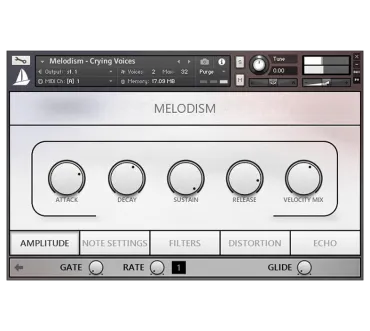
The middle section contains the main controllers and functions of sound adjustment. Attack and Release knobs manage the respective parameters of amplitude envelope. Velocity influence on volume is controlled with Velocity knob. Gate and Rate knobs adjust the settings of rhythmic sound interruption.
In Attractor you can instantly adapt samples to your host tempo. Enable TMPro mode and use Speed knob to do it. Also Attractor interface allows you to get all samples reversed and map the last played sample across 5 octaves with Wide Range function.

The effects section in Attractor has 6 slots. All effects are interchangeable, so you can build your own effect chain. To see the parameters of effect, click its title. To change the effect in the current slot, click its title again.

The waveform display contains a visual offset controller. Drag it across the waveform picture to set the needed sample start point.
Attractor contains:
4.0/5.0
(Average of 1 review)
Sort By:
This product is downloaded using Pulse