Sign in to Loot Audio
Access your downloads, purchases and more
Access your downloads, purchases and more

Pulse is a revolutionary new downloader offering blazing fast speeds and powerful control over your libraries. Loot Audio uses Pulse to power some of our downloads and to make managing your libraries more efficient for you.
After your purchase we will send you a unique code (you will also find the code in your account). Use the code with Pulse to power your download and installation. More information about Pulse can be found here.
What are Credits?
You earn Credits every time you purchase a product from Loot Audio. 3% of your order is added to your account in the form of Credits.
Use Credits for money off future orders or convert them to Sample Credits to download samples from the Sounds section of the site.
Drop samples into the sea, then unleash flocks of fish with your keyboard to play them.

$30.00
Earn 78
Note: This product is compatible with Kontakt Player







Drop in your Samples
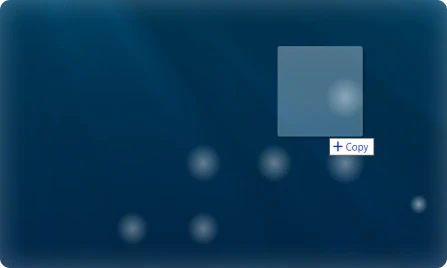
The Sea Sampler will analyze and automap them, creating an Object
Manipulate Objects

Drag in the center to move them
Drag on edges to resize
Make them very small to remove
Spawn Fish
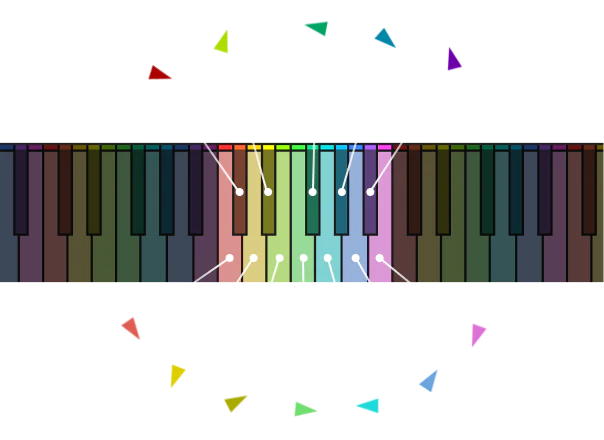
Each pitch you play spawns a different color fish. The fish's starting speed depends on how hard you play
When fish collide with objects, the object's sample gets triggered, whatever pitch the fish is
The faster the fish, the louder it will be
Emitter
This is where fish spawn from. When you drag it around, it will attract the fish. The faster it is moved, the more the fish will be attracted. Note that if you turn down Visual Range, the fish further away won’t be able to see the emitter.
Max Fish
This controls how many fish there can be at once. Once the limit is reached, the oldest fish are replaced by the new ones.
Pedal
Hold down the Pedal to keep fish alive even after you have let go of the key
Modwheel
The higher you put the Modwheel, the more often fish will emit
Pitchwheel
Speed up or slow down the simulation’s framerate using the Pitchwheel
Expression (CC 11)
Move Expression to twirl the emitter in a circle
Change the sound of objects by changing their pitch, filtering them, sending them to different reverbs, or enveloping them.
4.0/5.0
(Average of 2 reviews)
Sort By: